VortexAccel VortexAccel

How to Choose an AI Training Server Manufacturer in 2026

Time:2026-11-22 Author:Isabella
0%

Choosing an ai training server manufacturer in 2026 is no longer just a matter of comparing GPU prices. Training workloads place demands on the whole system: accelerators, memory, storage, networking, cooling, and power delivery. A weak link can leave expensive GPUs waiting instead of training.

IDC reported that global spending on AI infrastructure reached $47.4 billion in the first quarter of 2024, up 37% year over year. That figure captures a fast-growing market, not a guarantee that every new server will deliver useful performance. Buyers still need evidence. Ask manufacturers for workload-specific benchmark results, clear component lists, and documented support terms. Request a reference configuration, then check whether its power and cooling needs match your data center.

AI researcher Andrew Ng has described AI as “the new electricity.” That comparison helps explain why infrastructure choices matter, but it does not tell buyers which vendor to trust. Look closely at deployment experience, firmware and software compatibility, supply-chain transparency, and the process for replacing failed components. Small details count. A delayed power supply or unclear warranty can disrupt a training schedule as surely as a GPU shortage.

It gets messy. Published benchmarks may not reflect your model, data pipeline, or utilization targets. Treat them as a starting point, not a promise. This guide explains how to compare manufacturers using verifiable performance, lifecycle costs, service capability, and realistic workload tests. The right choice is not always the fastest server on paper. It is the system your team can operate reliably, at the scale and budget it actually has.
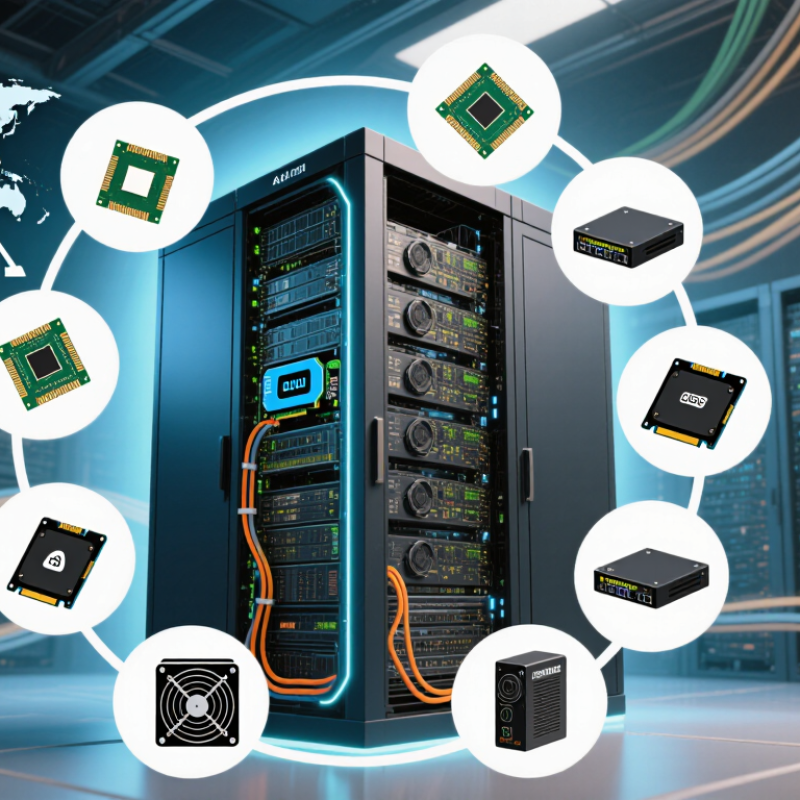
How to Choose an AI Training Server Manufacturer in 2026

Define Training Requirements: NVIDIA H100 SXM GPUs Use Up to 700 W

An accelerator rated for up to 700 W changes the server design, not just the power bill. Eight devices could draw as much as 5.6 kW before CPUs, memory, fans, and networking are counted. Actual consumption varies with workload and system configuration, so ask manufacturers for measured figures under sustained training loads, not peak specifications alone.

Check the complete power path. Request details on power supplies, input voltage, redundancy, and expected draw per rack. A chassis that fits eight accelerators may still exceed a data center’s available circuit capacity. Small detail, big consequence. Ask how the system behaves during power-supply failure and whether performance is reduced safely or the job stops.

Cooling deserves equally specific answers. High-density SXM systems often need carefully engineered airflow or liquid cooling; vague claims about “high performance” are not enough. Ask for operating-temperature limits, cooling requirements, and test results at sustained load. Compare those figures with your facility’s actual conditions. It is easy to overlook room temperature changes or airflow restrictions, and I would not assume a lab setup represents your production rack. A clear power-and-thermal plan helps reveal whether a manufacturer understands training workloads beyond the component list.

Check Server Power: Eight 700 W H100s Require 5.6 kW for GPUs Alone

Eight H100 accelerators rated at 700 W each draw 5.6 kW for GPUs alone. That figure is a starting point, not a complete server estimate. CPUs, memory, storage, fans, and network adapters add load. Power-conversion losses add more. Ask manufacturers for measured whole-system power under a representative training workload, not just a component list. A brief peak test can miss sustained demand. Request readings at the wall with the proposed processor and memory configuration installed. Small details matter.

Check rack power capacity, input voltage, circuit limits, and connector layout before choosing a server. Confirm redundancy plans with a qualified facilities engineer. Redundant power supplies do not make the system consume half as much electricity; they provide capacity if a supply fails. Nearly all electrical power becomes heat, so cooling capacity matters too. Ask about fan behavior and assumed inlet temperatures, then compare those assumptions with your data center. Try a sustained workload if possible. Spec sheets are useful, but I would not treat them as proof of real-world performance. It is surprisingly easy to underestimate the non-GPU load.

Verify Scale-Out Networking: NVIDIA Quantum-2 InfiniBand Supports 400 Gb/s

When evaluating an AI training server manufacturer, verify how its scale-out network performs across the complete system. A 400 Gb/s InfiniBand port describes link capacity, not guaranteed application throughput. Switch configuration, network adapters, cabling, and software settings all affect results. Ask for a documented topology showing the number of ports per server, oversubscription ratios, and switch hops. Check that the proposed design supports the intended GPU count without creating traffic bottlenecks.

Request benchmark results from a cluster similar to yours, not just a single-server demonstration. Look for measured bandwidth and latency during distributed training, with the workload and node count clearly stated. Check how the manufacturer handles congestion, failed links, and expansion to additional racks. Insist on a practical acceptance test. Short tests can mislead. I would not treat a clean demo as proof; real training jobs run for hours and expose issues that polished charts miss. Also confirm who diagnoses network faults and what logs or replacement parts are available. A small omission here can become a long pause in training.

How to Choose an AI Training Server Manufacturer in 2026 — Verify Scale-Out Networking: 400 Gb/s InfiniBand

Use this checklist to compare manufacturers. The 400 Gb/s figure is a link rate; actual application throughput depends on protocol overhead, topology, configuration, and workload.

Evaluation dimension What to verify Useful evidence or acceptance check
Scale-out link rate Confirm the supported fabric and per-port line rate. A 400 Gb/s link rate is equivalent to 50 GB/s in one direction before protocol overhead. Obtain the adapter, switch, cable, and server configuration in writing; verify that every component supports the intended rate.
End-to-end fabric design Check port counts, oversubscription, routing, congestion controls, and the proposed scale-out topology. Request a rack-level network diagram and a bill of materials that includes switches, adapters, optics or cables, and required licenses.
GPU-to-GPU communication Establish how accelerators communicate within a server and across servers; confirm the supported collective-communication software stack. Ask for results from representative multi-node training tests, including the model, node count, precision, and software versions.
Accelerator configuration Compare accelerator count, memory capacity, supported power limits, and the server’s validated system configuration. Request a configuration sheet and confirmation that the proposed CPU, memory, firmware, and accelerators have been tested together.
Host memory and storage Check memory capacity and bandwidth, local storage options, and the data path from storage to accelerators. Validate the intended dataset-loading and checkpointing workflow using representative data volumes.
Power and cooling Confirm maximum system power, rack power requirements, airflow direction, and support for the data center’s cooling method. Request measured power and thermal data for the proposed configuration, plus rack-level deployment requirements.
Reliability and serviceability Review component monitoring, error reporting, replaceable parts, firmware maintenance, and service coverage. Check written response targets, spare-parts availability, escalation procedures, and documented maintenance processes.
Validation and acceptance Ensure acceptance testing covers the complete system rather than isolated components. Agree on pass/fail criteria for link health, sustained workload performance, thermal behavior, and multi-node job completion before delivery.
Expansion and lifecycle Assess whether the design can expand without incompatible server, fabric, power, or cooling changes. Request a phased growth plan, compatibility details, and the expected support period for the quoted configuration.

Procurement note: treat quoted performance as configuration-specific and ask for reproducible test results rather than relying on theoretical link rates alone.

Assess Facility Efficiency: Uptime Institute Reported 1.58 Average PUE in 2023

When comparing AI training server manufacturers in 2026, look beyond accelerator specifications and purchase price. Uptime Institute reported an average data-center PUE of 1.58 in 2023. PUE compares total facility energy with energy used by IT equipment. At 1.58, each unit of IT energy required about 0.58 additional units for cooling, power conversion, and other overhead. Numbers need context.

This industry average is a reference point, not a promise or a pass mark for a specific site. A training hall with dense racks may need liquid cooling, stronger power distribution, and carefully balanced airflow. Ask manufacturers for measured power draw at your intended rack density, along with thermal limits and workload assumptions. Request facility-level PUE records across seasons, not just one favorable snapshot. Check how readings were collected.

A lower PUE can reduce wasted energy, but it does not prove servers deliver useful training throughput. Compare energy per completed training job alongside uptime, cooling headroom, and service response. Ask for sensor locations, maintenance intervals, and plans for hot spots near rack exhausts. There is room for doubt: published averages hide differences in climate, utilization, and measurement boundaries. Treat unanswered questions as design risks, not minor paperwork.

Evaluate Manufacturers: Verify Cooling, Burn-In Testing, Warranty, and SLA

How to Choose an AI Training Server Manufacturer in 2026

A credible manufacturer should show how its servers perform under sustained heat, not just at room temperature. Ask for cooling test results at the rack’s expected power density, including inlet temperatures, fan speeds, and any liquid-cooling limits. Request burn-in procedures, test duration, and failure records for the same configuration you plan to buy. A chart without test conditions tells little. Burn-in helps expose early faults, but it cannot guarantee reliability in your data center.

Check warranty terms for accelerator, memory, and cooling-component coverage. Confirm who pays shipping and labor, and whether replacement parts are kept locally. Then examine the SLA: distinguish response time from time to repair, and ask how missed targets are handled. Uptime Institute’s 2024 outage analysis reported that 54% of respondents’ most recent significant outages cost over $100,000. That figure is not specific to AI servers, but it shows why support terms matter. Paper promises can still fail.

Tips: Request a sample thermal report and burn-in checklist before signing. Ask for a written escalation path, spare-part availability, and separate response and repair targets. If the manufacturer will not share test limits, treat that as a gap—not proof of poor quality, but a reason to ask again.

FAQS

How much power can eight 700-watt accelerators draw?

Up to 5.6 kW for the accelerators alone. CPUs, memory, fans, storage, and networking add more.

What power figures should manufacturers provide?

Request measured whole-system power during sustained training. Ask for readings at the wall with your planned processor and memory configuration. Peak tests can miss real demand.

What should we check before installing a server rack?

Confirm circuit capacity, input voltage, and connector layout. A chassis may fit eight accelerators but exceed the rack’s available power.

Do redundant power supplies reduce a server’s electricity use?

No. They provide backup capacity if a supply fails. Ask whether the system safely reduces performance or stops during a failure.

What cooling details matter for dense training systems?

Ask about airflow or liquid-cooling needs, temperature limits, fan behavior, and sustained-load test results. Compare them with your facility’s inlet temperatures and airflow.

How should we interpret a PUE figure?

PUE compares total facility energy with energy used by IT equipment. An average of 1.58 was reported for data centers in 2023, but site conditions differ.

Does a lower PUE prove a server is more efficient?

No. Compare energy per completed training job, uptime, and cooling headroom too. Facility averages can hide seasonal and measurement differences.

What evidence helps assess real-world performance?

Request sustained workload measurements, seasonal facility records, and details about sensor locations. I would not treat a spec sheet as proof. Small detail, big consequence.

Conclusion

Choosing an ai training server manufacturer in 2026 starts with matching the system to your training workload, model size, and expected growth. High-power accelerators can each draw up to 700 W, so an eight-accelerator server may need 5.6 kW for the GPUs alone. Account for CPUs, memory, storage, networking, and cooling when estimating total power, and confirm that the server’s power supplies and facility connections can support sustained operation.

For larger clusters, check that the networking can provide the bandwidth and low latency your workloads require; some high-speed interconnects support up to 400 Gb/s. Facility efficiency matters too: plan for cooling and power distribution, using PUE as one measure of overhead. Before choosing a manufacturer, verify its cooling design, burn-in testing process, warranty terms, and service-level agreement. These checks help you compare suppliers on reliability and support, not just hardware specifications.

Isabella

Isabella

Isabella is a dedicated marketing professional with a sharp focus on driving brand growth and engagement through strategic content creation. With an extensive background in digital marketing, she combines her passion for storytelling with her keen understanding of industry trends to deliver......